
Transform Ubuntu into Xubuntu

Installation

1. Open the terminal by Ctrl+Alt+T
    and type

   sudo apt-get install xubuntu-desktop gksu leafpad synaptic
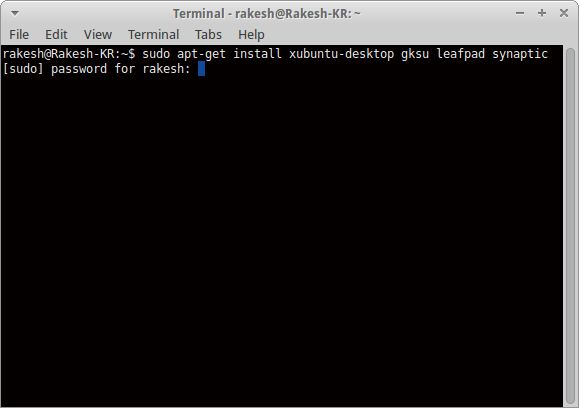


2. Type your password & Press Enter. Now an intensive operation is being launched. Simply wait to complete the whole process.

Login To Xubuntu

1. After completing the installation logout ubuntu. Note: logout not restart or shutdown.

2. In the login window click on the ubuntu logo, next to your userName & select Xubuntu Sesion

3. Enter your password and Now the Xubuntu desktop appears. :) The next thing is to clean up.

Clean Up

1. Now its time to clean up, inorder to prevent system pollution problems.

Note: The clean up will remove as much as possible ubuntu's desktop environment Unity. So after that you can't use Unity.

2. Open terminal by Ctrl+Alt+T and type the following 

sudo apt-get remove nautilus gnome-power-manager gnome-screensaver gnome-termina* gnome-pane* gnome-applet* gnome-bluetooth gnome-desktop* gnome-sessio* gnome-user* gnome-shell-common compiz compiz* unity unity* hud zeitgeist zeitgeist* python-zeitgeist libzeitgeist* activity-log-manager-common gnome-control-center gnome-screenshot overlay-scrollba* && sudo apt-get install xubuntu-community-wallpapers && sudo apt-get autoremove

3. Press Enter & Type your password. You are almost done now. Reboot your computer & Enjoy.


Comments

Popular posts from this blog

System.out.println In Java

System  is a class in the  java .lang package.  out  is a static member of the  System  class, and is an instance of  java .io.PrintStream .  println  is a method of  java .io.PrintStream . This method is overloaded to print message to output destination, which is typically a console or file. System is a class, that has a public static field out . So it's more like. public final class System { /** * The "standard" output stream. This stream is already * open and ready to accept output data. Typically this stream * corresponds to display output or another output destination * specified by the host environment or user. * <p> * For simple stand-alone Java applications, a typical way to write * a line of output data is: * <blockquote><pre> * System.out.println(data) * </pre></blockquote> * <p> * See the <code>println...

JSON (JavaScript Object Notation)

JSON (JavaScript Object Notation) is an open standard file format and data interchange format that uses human-readable text to store and transmit data objects consisting of attribute–value pairs and arrays (or other serializable values). It is a common data format with diverse uses in electronic data interchange, including that of web applications with servers. JSON is a language-independent data format. It was derived from JavaScript, but many modern programming languages include code to generate and parse JSON-format data. JSON filenames use the extension .json. Any valid JSON file is a valid JavaScript (.js) file, even though it makes no changes to a web page on its own. Douglas Crockford originally specified the JSON format in the early 2000s. He and Chip Morningstar sent the first JSON message in April 2001. Official website :- https://json.org/

Amazon DynamoDB : Fully managed proprietary NoSQL database service

 Amazon DynamoDB is a fully managed proprietary NoSQL database service that supports key–value and document data structures and is offered by Amazon.com as part of the Amazon Web Services portfolio. Dynamo had a multi-leader design requiring the client to resolve version conflicts and DynamoDB uses synchronous replication across multiple data centers for high durability and availability.  DynamoDB was announced by Amazon CTO Werner Vogels on January 18, 2012, and is presented as an evolution of Amazon SimpleDB. DynamoDB differs from other Amazon services by allowing developers to purchase a service based on throughput, rather than storage. If Auto Scaling is enabled, then the database will scale automatically. To prevent data loss, DynamoDB features a two-tier backup system of replication and long-term storage. Each partition features three nodes, each of which contains a copy of that partition's data. Each node also contains two data structures: a B tree used to locate items,...